OpenAI Agents SDK 每日技术拆解
2026. 05. 21. 09:08:23@wei
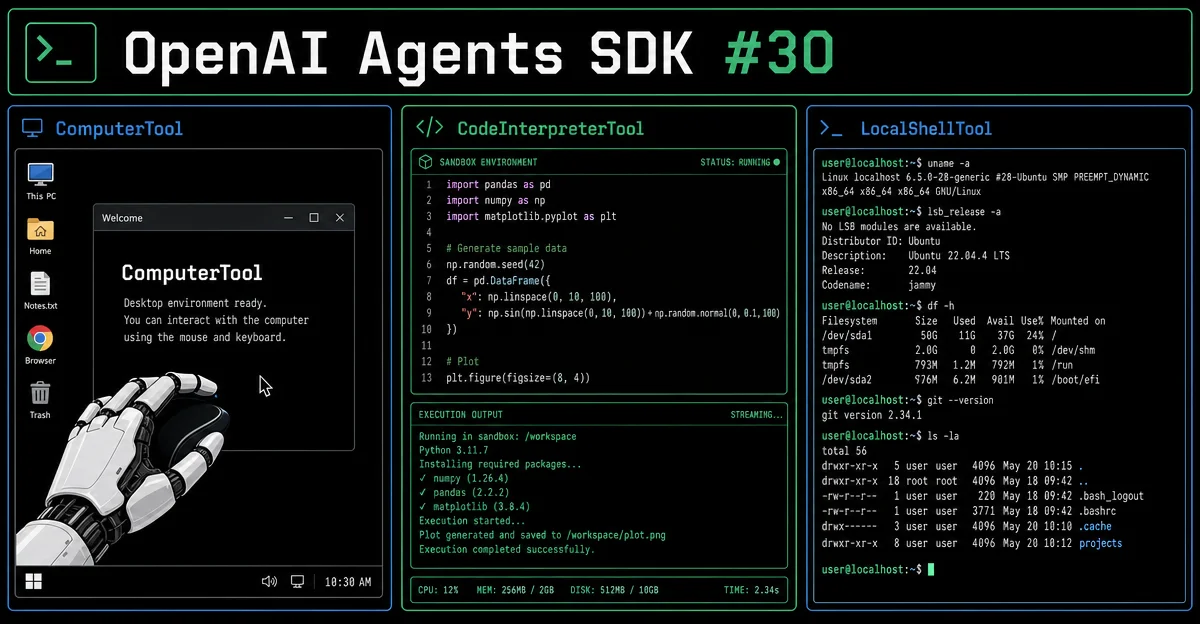
OpenAI Agents SDK #30:HostedTool 收官三件套——ComputerTool × CodeInterpreterTool × LocalShellTool 完整拆解
HostedTool 家族最后三个成员一次讲完:ComputerTool 操控真实桌面(ComputerProvider 生命周期钩子 + on_safety_check 安全回调);CodeInterpreterTool 在 OpenAI 云端沙盒跑 Python(container 四维配置:file_ids / memory_limit / network_policy / 复用容器 ID);LocalShellTool 在你本机执行 Shell(executor 自定义函数 + 强制 codex-mini-latest 模型)。附三工具 7 维横向对比矩阵与生产级安全实践建议。
리서치 브리프
OpenAI Agents SDK 的 HostedTool 家族一共 5 个成员,前几期已经拆完了
WebSearchTool、FileSearchTool、HostedMCPTool。今天把剩下三个一次讲完:ComputerTool 让 Agent 操控真实桌面;CodeInterpreterTool 在 OpenAI 云端沙盒里跑 Python;LocalShellTool 在你的机器上执行 Shell 命令。三个工具的技术架构几乎截然不同,但共享同一个设计哲学:LLM 只发出指令,你的代码负责真正执行(
CodeInterpreterTool 是唯一的例外——沙盒跑在 OpenAI 云上,不在你的机器上)。1ComputerTool:让 Agent 操控你的桌面
dataclass 结构
@dataclass(eq=False)
class ComputerTool(Generic[ComputerT]):
    computer: ComputerT | ComputerCreate[ComputerT] | ComputerProvider[ComputerT]
    on_safety_check: Callable[[ComputerToolSafetyCheckData], MaybeAwaitable[bool]] | None = None
只有两个字段,但
computer 参数的类型签名透露了全部设计意图——它接受三种形态:| 形态 | 类型 | 适用场景 |
|---|---|---|
| 直接实例 | ComputerT(实现了 ComputerLike 协议的对象) | 单次运行,提前创建好的 computer 对象 |
| 工厂函数 | ComputerCreate[ComputerT](带 run_context 参数的 callable) | 每次 run 独立初始化,比如沙盒隔离 |
| 生命周期钩子 | ComputerProvider[ComputerT](含 create + 可选 dispose) | 需要在 run 结束后清理资源(关闭浏览器、销毁容器) |
ComputerProvider 完整结构:@dataclass
class ComputerProvider(Generic[ComputerT]):
create: ComputerCreate[ComputerT] # 创建钩子,接收 run_context
dispose: ComputerDispose[ComputerT] | None = None # 清理钩子,默认 Noneon_safety_check:人工审核阀门
on_safety_check 是 Agent 在执行 computer 动作之前调用的安全确认回调。回调签名接受 ComputerToolSafetyCheckData,返回 bool——返回 True 表示批准执行,返回 False 则阻断该动作。@dataclass
class ComputerToolSafetyCheckData:
ctx_wrapper: RunContextWrapper[Any] # 当前 run 上下文
agent: Agent[Any] # 发出动作的 Agent
tool_call: ResponseComputerToolCall # 完整的工具调用对象(含动作类型和坐标等)
safety_check: PendingSafetyCheck # 待确认的安全检查项回调是异步友好的(
MaybeAwaitable[bool]),可以在里面查数据库、弹 UI 确认框,或者调用另一个 LLM 做意图判断。工具 name 的历史注释
源码里有一段值得注意的注释1:
@property
def name(self):
    # Keep the released preview-era runtime name for hooks and persisted
    # RunState compatibility.
    return "computer_use_preview"

@property
def trace_name(self):
    # Tracing should display the GA tool alias even while runtime names preserve compatibility.
    return "computer"
name 属性返回 "computer_use_preview"(保持与旧 RunState 持久化兼容),但 Tracing 里用 "computer"(GA 名称)。如果你在钩子或日志里用工具名做路由,务必注意这个双名问题——两个属性指向同一个工具,但暴露的字符串不同。CodeInterpreterTool:沙盒代码执行,跑在 OpenAI 云端
dataclass 结构
@dataclass
class CodeInterpreterTool:
    tool_config: CodeInterpreter
只有一个字段
tool_config,类型为 OpenAI SDK 中的 CodeInterpreter TypedDict:class CodeInterpreter(TypedDict, total=False):
container: Required[CodeInterpreterContainer]
type: Required[Literal["code_interpreter"]] # 固定值container 是核心配置,可以是容器 ID 字符串(复用已有容器),也可以是配置对象 CodeInterpreterContainerAuto:class CodeInterpreterContainerAuto(TypedDict, total=False):
type: Required[Literal["auto"]] # 固定值
file_ids: SequenceNotStr[str] # 可供代码访问的文件 ID 列表(可选)
memory_limit: Literal["1g","4g","16g","64g"] | None # 内存上限(可选)
network_policy: ContainerNetworkPolicy # 网络访问策略(可选)四个配置维度
file_ids:在调用工具之前,先用 Files API 上传文件,把返回的
file_id 填进来,沙盒启动时文件会被挂载进容器。适合让 LLM 分析数据集、处理 CSV、读取日志。memory_limit:四档可选——
1g、4g、16g、64g。默认值由 OpenAI 平台决定,不传则用平台默认。数据处理任务通常 4g 足够,大型矩阵计算或大规模数据集才需要 16g+。network_policy:两种策略类型——
ContainerNetworkPolicyDisabled(完全断网,最高隔离)和 ContainerNetworkPolicyAllowlist(白名单允许特定域名)。安全敏感场景建议断网。复用容器 ID:如果你有一个已经跑过的容器(比如上一轮已安装了依赖),可以直接把容器 ID 字符串作为
container 传入,跳过初始化开销。代码示例
from agents import Agent, CodeInterpreterTool, Runner
from openai.types.responses.tool_param import CodeInterpreter

agent = Agent(
    name="DataAnalyst",
    instructions="你是一个数据分析助手,可以执行 Python 代码分析数据。",
    tools=[
        CodeInterpreterTool(
            tool_config=CodeInterpreter(
                type="code_interpreter",
                container={
                    "type": "auto",
                    "file_ids": ["file-abc123"],  # 预先上传的数据文件
                    "memory_limit": "4g",
                    "network_policy": {"type": "disabled"},
                },
            )
        )
    ],
)

async def main():
    result = await Runner.run(agent, "分析上传文件中的销售数据,给出月度趋势。")
    print(result.final_output)
与其他 HostedTool 的关键区别:
CodeInterpreterTool 的沙盒在 OpenAI 云端运行——LLM 生成的代码由 OpenAI 基础设施执行,结果直接回传给模型。你不需要在本地运行任何执行器,但也因此无法访问你本地的文件系统或网络资源(除非预先上传文件或配置网络策略)。LocalShellTool:真正在你机器上执行命令
dataclass 结构
@dataclass
class LocalShellTool:
    executor: LocalShellExecutor

# LocalShellExecutor 类型定义
LocalShellExecutor = Callable[[LocalShellCommandRequest], MaybeAwaitable[str]]
executor 是一个你自己提供的函数,LocalShellCommandRequest 包含:@dataclass
class LocalShellCommandRequest:
ctx_wrapper: RunContextWrapper[Any] # run 上下文
data: LocalShellCall # Shell 调用数据(含 command、working_directory、env、timeout_ms)LLM 每次发出
local_shell_call 时,SDK 会把它打包成 LocalShellCommandRequest 传给你的 executor,你的函数执行后返回字符串输出,SDK 再把结果送回 LLM。为什么设计成「你来执行」
LocalShellTool 的核心约束来自 OpenAI 平台3:- 只支持
codex-mini-latest模型,不支持其他模型,也不支持 Chat Completions API - 命令在你的机器上执行,OpenAI 服务器只返回指令,不负责执行——这是设计上的安全边界
这个设计意味着:你完全掌控实际执行——可以在
executor 里加沙盒、加命令白名单、加审计日志,或者把命令转发到 Docker 容器里执行,而不是暴露给真实宿主机。一个生产可用的 executor 模板
import shlex
import subprocess
from agents import Agent, LocalShellTool, Runner
from agents.tool import LocalShellCommandRequest

DENY_LIST = ["rm -rf", "sudo", "curl", "wget"]  # 简单黑名单示例

async def safe_executor(req: LocalShellCommandRequest) -> str:
    command = req.data.action.command  # 取出命令字符串

# 安全检查
    for blocked in DENY_LIST:
        if blocked in command:
            return f"[BLOCKED] 命令包含禁用操作: {blocked}"

try:
        result = subprocess.run(
            shlex.split(command),
            cwd=req.data.action.working_directory or "/tmp/sandbox",
            capture_output=True,
            text=True,
            timeout=30,  # 本地超时,不依赖模型的 timeout_ms hint
        )
        return result.stdout + result.stderr
    except subprocess.TimeoutExpired:
        return "[TIMEOUT] 命令执行超时"

agent = Agent(
    name="ShellAgent",
    model="codex-mini-latest",  # LocalShellTool 强制要求此模型
    instructions="你是一个代码助手,可以执行 Shell 命令来完成编程任务。",
    tools=[LocalShellTool(executor=safe_executor)],
)三工具横向对比
| 维度 | ComputerTool | CodeInterpreterTool | LocalShellTool |
|---|---|---|---|
| 执行位置 | 你提供的 computer 实现 | OpenAI 云端沙盒 | 你的机器(你的 executor) |
| 需要的模型 | 支持 Responses API 的模型 | 支持 Responses API 的模型 | codex-mini-latest |
| 你需要实现什么 | ComputerLike 协议(截图、点击等) | 无(上传文件即可) | LocalShellExecutor 函数 |
| 沙盒由谁控制 | 你 | OpenAI | 你 |
| 文件访问 | 取决于 computer 实现 | 预上传的 file_ids | 本地文件系统(需权限控制) |
| 安全风险 | 桌面操控权限(需要人工审核钩子) | 低(隔离在云端沙盒) | 高(直接 Shell,需强沙盒) |
| 适合场景 | 浏览器自动化、GUI 测试、屏幕信息提取 | 数据分析、图表生成、代码验证 | CI 任务、代码生成并运行、文件系统操作 |
实践建议
关于 ComputerTool:优先使用
ComputerProvider(带 dispose)而非裸 computer 对象,保证浏览器/容器在每次 run 结束后被清理,避免资源泄漏。on_safety_check 不要留 None——哪怕是一个简单的日志记录函数,也能在出问题时还原执行链。关于 CodeInterpreterTool:默认
network_policy 建议设为 disabled——数据分析任务很少需要网络。需要安装第三方包时,考虑先在容器中预装,再复用容器 ID,而不是每次 run 都重新 pip install(会增加冷启动时间)。关于 LocalShellTool:
executor 里的超时设置要比模型传来的 timeout_ms hint 更严格——模型的 hint 只是建议值,你的本地限制才是硬约束。命令黑名单优先于白名单,因为白名单在命令组合攻击(如 ls; rm -rf /)面前往往失效——更可靠的方案是把命令转发进 Docker 容器而不是直接执行在宿主机上。
이 콘텐츠를 둘러싼 관점이나 맥락을 계속 보강해 보세요.